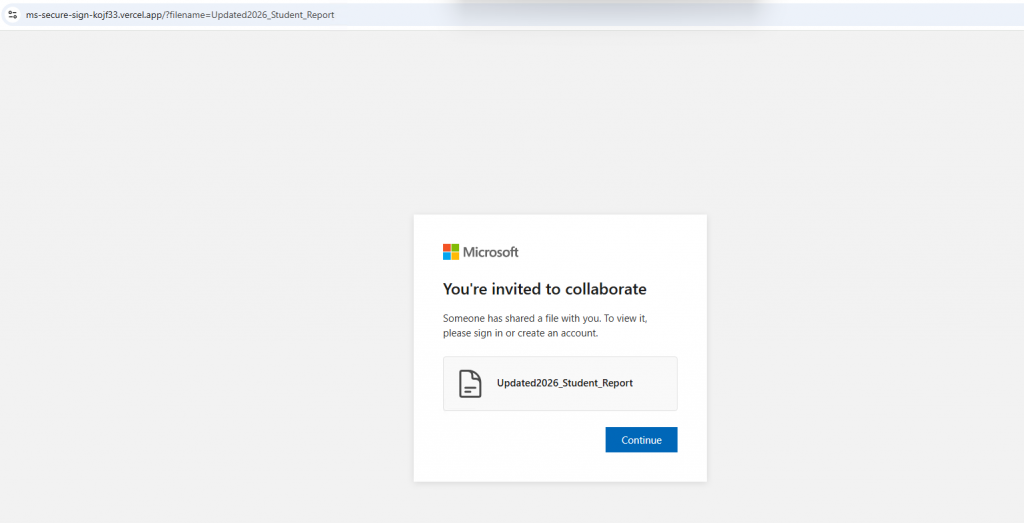
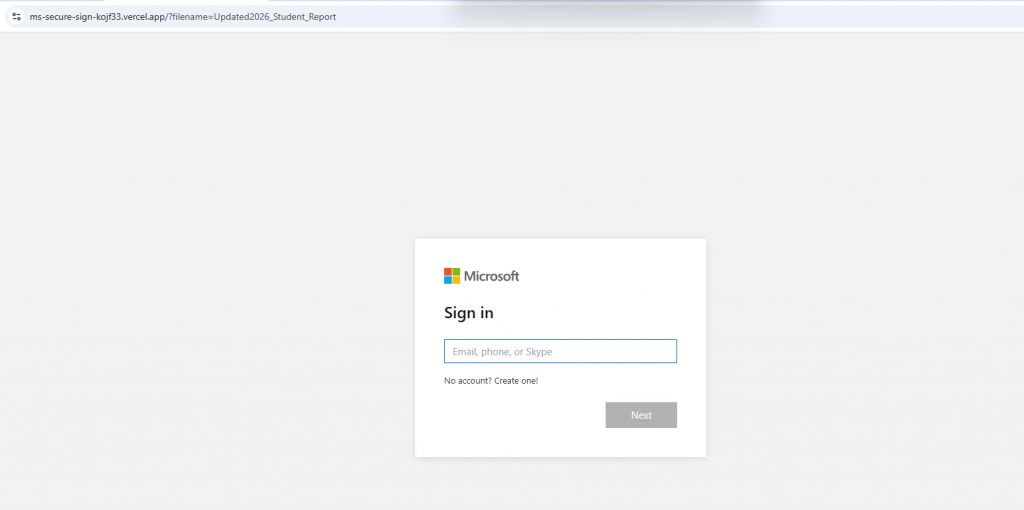
Original Phishing Message
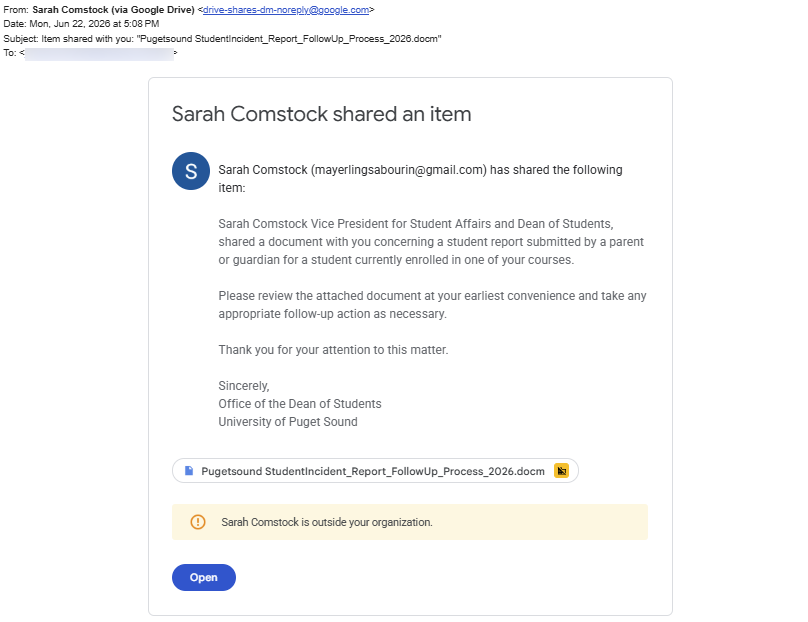
From: drive-shares-dm-noreply[@]google[.]com
Subject: Item shared with you: “Pugetsound StudentIncident_Report_FollowUp_Process_2026.docm”
Tips for Detection
- Many attackers leverage legitimate cloud services such as Google Drive to make their emails look legitimate. The display name on the account used to share the document can be easily manipulated. However, the email address cannot. Notice that the email address in the body of the email is listed as mayerlingsabourin[@]gmail[.]com.
- Many attackers will try to impersonate campus members. In this case, they are impersonating a VP. However, notice the yellow banner in the body of the email that states that the message was sent “outside your organization.” If you receive an email from an external source (not @pugetsound.edu) purporting to be from a campus member, this is suspicious.
- Be wary of communications you receive that fall outside what you would normally expect.
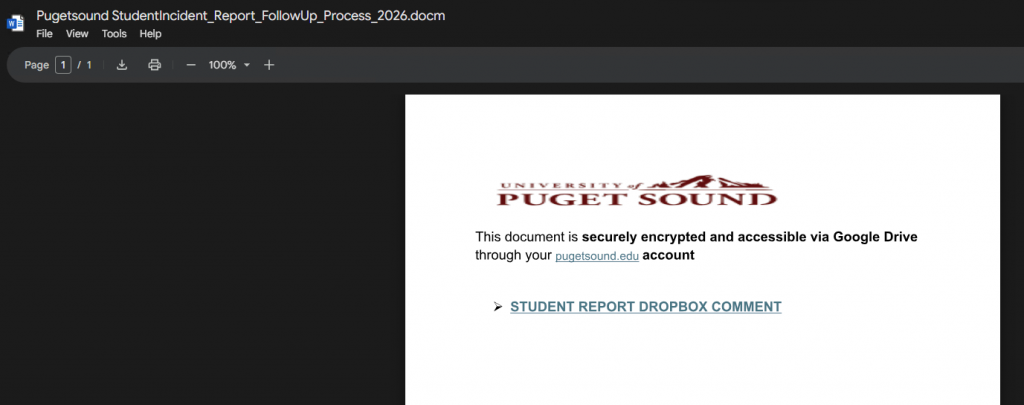
Where did the link lead?
The first link goes to a document stored on Google Drive. A shared document containing a secondary link and no content should be suspicious. If you hover over the link, notice that it goes to ms-secure-sign-kojf33[.]vercel[.]app which is suspicious. Notice the contradictory wording that the document is in Google Drive and Dropbox.
Though the following pages look like Microsoft login pages, they are not legitimate. Always check the URL of the website you are on and avoid entering credentials or sensitive data on sites you do not recognize.